Cover for Binance codes that never arrive, fan ground
Handbook cover · Aug 2026

SIGNAL

Binance code never arrives: switch channel before you wait

SMS never arrives. Should I keep tapping Send?

Tapping it again only lengthens the cool-down. Switch to email or an authenticator first.

Is the carrier blocking it?

Foreign numbers, virtual numbers, and call-blocking apps are common. Turn the blocker off and try once. Then switch channel.

1

Can you still use a login channel?

If email login still works, finish login with email, then fix the phone number.

2

Is an authenticator bound?

On an account with 2FA, prefer the authenticator. Lean on SMS less.

Wait on SMSLow
Switch to email / authenticatorHigh

When a code never arrives, people stare at six empty boxes. The boxes will not fill themselves. What you can do at this Binance step is switch channel: email, an in-app confirm, a voice call. Those beat waiting on SMS.

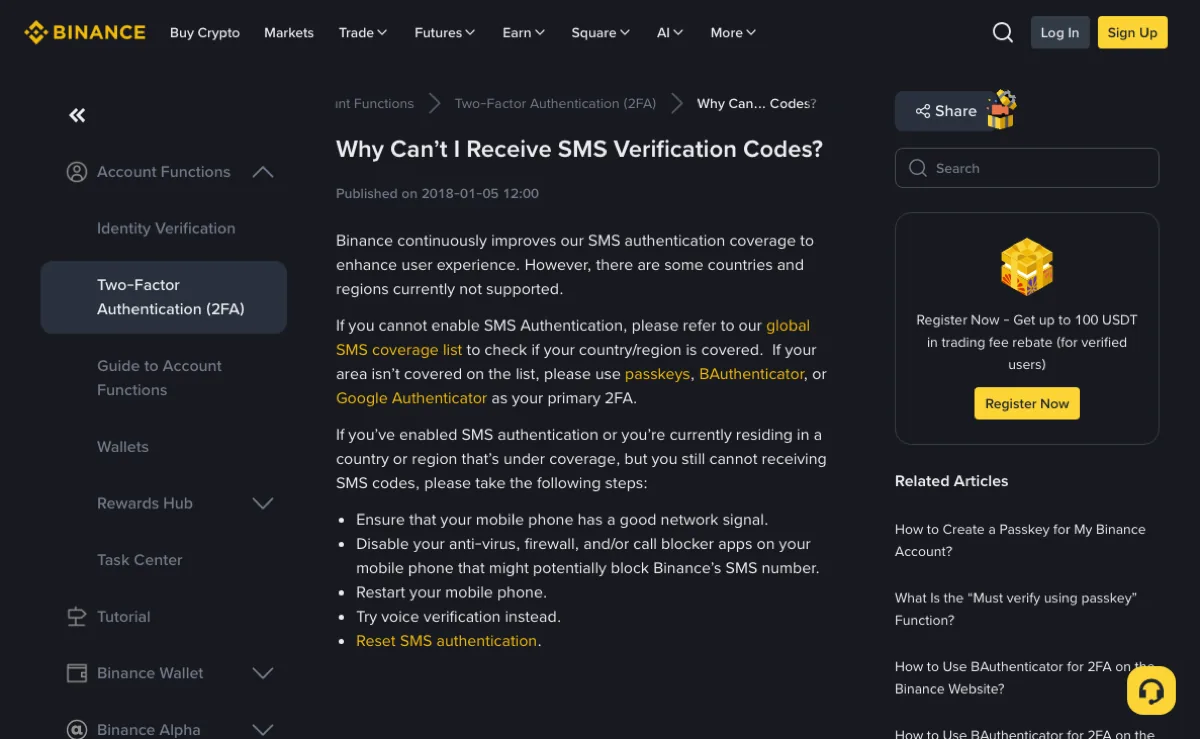
SMS leans on a carrier and a regional rail. Roaming and virtual numbers fail often. Do not wear out Send. Repeated taps mostly lengthen the cool-down.

If you cannot enter the account at all, that is recovery, not one more minute of waiting. This handbook is not a signup walk. It is where to turn when the code never comes.

Is login blocked, or is a withdrawal blocked

The same line, “enter the code,” can block login, a security change, or a withdrawal. Read the title on the screen. Do not stare at the SMS inbox.

You can still enter with email and password, and only the phone SMS is missing: finish login, then change the channel in Security. Inside, you have more choices.

Stuck on the login page: whichever of email, phone, or authenticator still produces a code, walk that one. On a trip, SMS sat empty for me. Email verification let me in in two steps. SMS had not “healed.” I had switched road.

A code for a withdrawal or a new payee is usually stricter. If SMS never arrives, look first for “use authenticator / email / voice” on the page. If there is no option, do not hammer the same button.

Do not read a failed login as a deleted account. A wrong password, a timed-out code, a flaky region network — they look alike. Switch to a live verification method, then decide whether you need an appeal.

A withdrawal stuck on a code, login still smooth: the account is there. This high-risk action wants a second factor. Open Security and check whether the bound phone, email, and authenticator are still ones you control. If you control them, switching channel is enough. If you do not, that is recovery, not another Send.

Channels you can switch to

Common switches: an email code, an in-app confirm, a voice call, an authenticator already bound. Walk whichever is lit. There is no “always arrives.”

  1. Open the same account’s mailbox. Search unread mail whose sender includes Binance. Include junk.
  2. If the app is still logged in, look for a device confirm or a notification. You may not need SMS.
  3. If the page offers voice, let it call. A noisy room may hide the digits. You can ask once more. Still do not hammer SMS Send.
  4. If an authenticator is bound, type the six digits. This path does not walk a carrier.

How email and phone were filled at signup decides how many live paths you hold now. If the account is still being opened, pick an email you can log into for years, not a throwaway, and a number that is yours long-term. The walkthrough is in how email and phone split at signup.

I treat the authenticator as the main road, SMS as backup. Not because SMS is “bad.” Because too many hands sit on the path: carrier, roaming, a blocker app. An authenticator does not need those.

Email codes have a pit too: a filter dumps exchange mail into Promotions, or a company inbox blocks outside domains. A long-lived personal inbox is sturdier than a throwaway. I have found a code only in junk, and the subject looked like a notice, not the words “verification code.” Search by sender, not only by subject.

Help-centre wording moves with the page. The entry is in the account menu. You can also check Binance Support FAQ. Do not enter from a link inside a strange SMS.

Numbers, blockers, and regional SMS rails

Foreign numbers, virtual numbers, and call-blocking apps are common reasons the SMS window stays empty. Turn off the blocker and “silence unknown callers,” then try once. Still empty, switch channel. Do not fight the carrier for an hour.

On roaming, SMS can lag a long time, or drop entirely. I waited a round in a roaming country. The email code arrived first. The feeling is: the SMS inbox is not the only window.

A virtual number might take one message, then go dark, or trip a risk check. Binding security to a virtual number is hanging a spare key on a door that can be reclaimed. If you can move to a long-lived number in your name, move.

A wrong country code sends the message to “a number that looks like yours, and is not.” Check the country / region code, not only the last digits. Changing a country code often wants another verification. If SMS never arrives, walk email first.

The phone’s auto-fill for codes sometimes pastes another app’s digits. If it is wrong, read the SMS itself and check the sender. Do not assume auto-fill is this house.

Dual-SIM phones fill the wrong SIM more often. The code went to the second SIM, you are watching the first inbox. Open both inboxes, or leave only the bound SIM in the tray. On a trip my second SIM had roaming, the first did not, the code walked the second, the first sat empty. The other SIM had it.

A missing code is not a broken system. A busy rail, a block, a wrong number, roaming — all of them empty the box. Email or an authenticator is closer to a result than a Send button worn hot.

If you still cannot get in, which recovery

Email, SMS, and authenticator all silent: now it is account recovery. That is a ticket, not another 60 seconds. Prepare files that show you are the holder, submit as the page asks, and do not send ID into a strange chat.

You can still log into the mailbox, and only the app will not let you in: use the web. The web can change security items and show ticket status. Keep the door that still opens.

This is when DMs arrive: “support will reset you.” A real reset walks Help inside your account, not Telegram. Anyone who wants coins moved to a “review address” first is a scammer.

I looked at a friend’s “no code on any channel.” The email was sitting in junk. Search the mailbox fully before you appeal. An appeal costs time. Junk takes ten seconds.

During recovery, do not keep trying a wrong password and stack a lock on top. Stop, walk a mail link or a ticket. This site cannot receive a code for you, and it cannot reset someone else’s verification.

A ticket wants proof that “this account is mine,” not a story about the last fill. Login device, rough signup time, a usual withdrawal address — answer what the page asks. Invented detail does not help. After you submit, wait. Do not open the same ticket every few minutes.

People read a missing code as “change network.” Changing network fixes a page that will not load. It does not fix carrier SMS. Keep the two lines apart. If the page opens and only the code is missing, walk email or the authenticator. If the page itself will not load, or a region banner appears, read the region-limit handbook. Do not hammer Send on the login page.

Silence-unknown-callers can swallow a voice verify. A company inbox can stop the mail at the gateway. An expired code from a flight’s delayed SMS will not work. Switch channel. Do not wear out Send.