
An authenticator adds a rotating-code check to account security without relying on SMS delivery. The setup is only complete when the account accepts a code and you have secured any recovery information the page provides.
Add and verify the authenticator
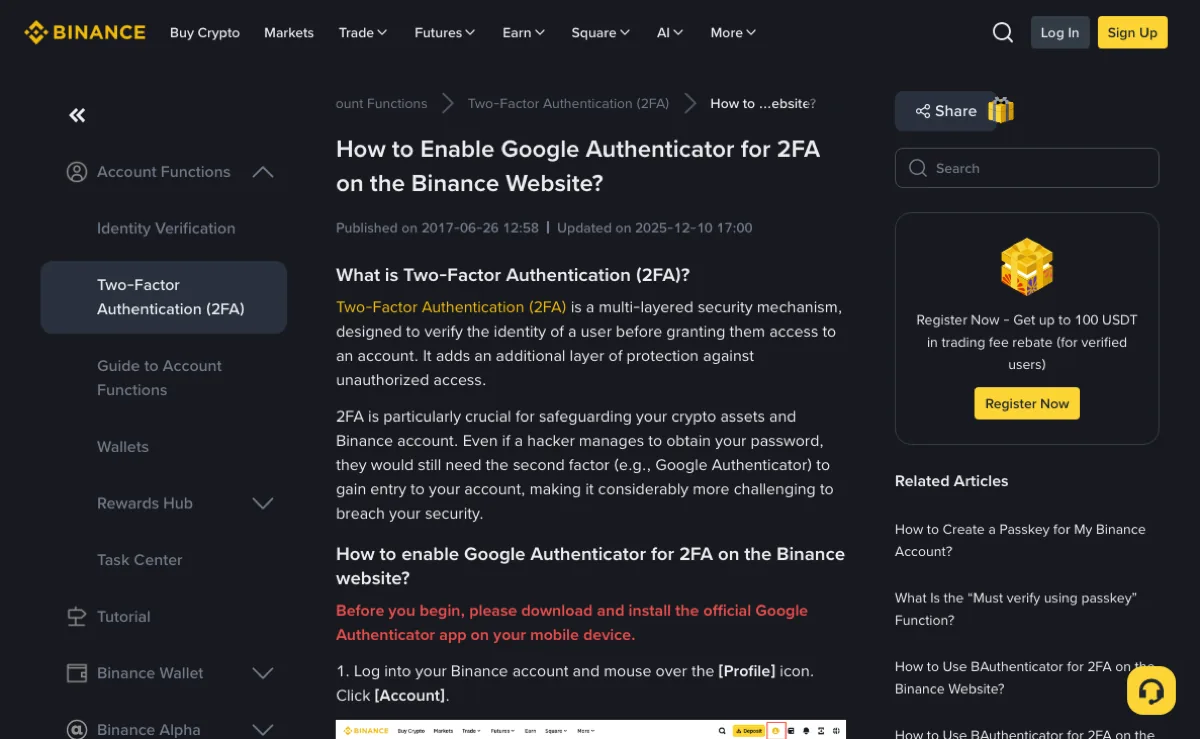
Open Security from your Binance account and select the available authenticator option. Install a supported app from a trusted source. Scan the setup QR code or enter the secret manually, then enter a current code on the account page to confirm the link.
Use one active setup window. If you generate a new secret, complete verification with that new entry; an earlier secret is not automatically a valid backup. Check that you selected the right account in the app before entering its code.
The public authenticator setup guide illustrates the account process. The screenshot below is a help article, not access to your security settings.
Distinguish the secret from recovery codes
The setup secret generates the rotating codes. Someone who copies it may be able to generate the same codes. Recovery or backup codes, where offered, serve a different purpose; follow the page's instructions about how and when they can be used.
Save the information you are actually given in a secure location you control. Do not assume an app export or cloud backup has succeeded without checking its recovery process. Keeping the only backup on the same phone leaves you exposed if that phone is lost.
A paper copy needs protection from physical access. A digital copy needs protection from account compromise and unintended synchronisation. Avoid sending either a setup QR code or recovery codes through chat. HuiBonus does not need them.
Test the new phone before clearing the old one
- Keep the old device available while you use the authenticator's supported transfer method or your securely stored secret.
- Check that the expected account appears on the new device and that its time is correct.
- Confirm that a new-device code works in the official account flow.
- Then follow the app's instructions to remove old-device access and securely dispose of temporary export images.
For synced Google Authenticator entries, deleting an entry can delete it on other synced devices too. Do not use entry deletion as a shortcut for removing one old phone. Google's Authenticator guidance distinguishes synchronisation, manual transfer and device access; check which applies to your setup.
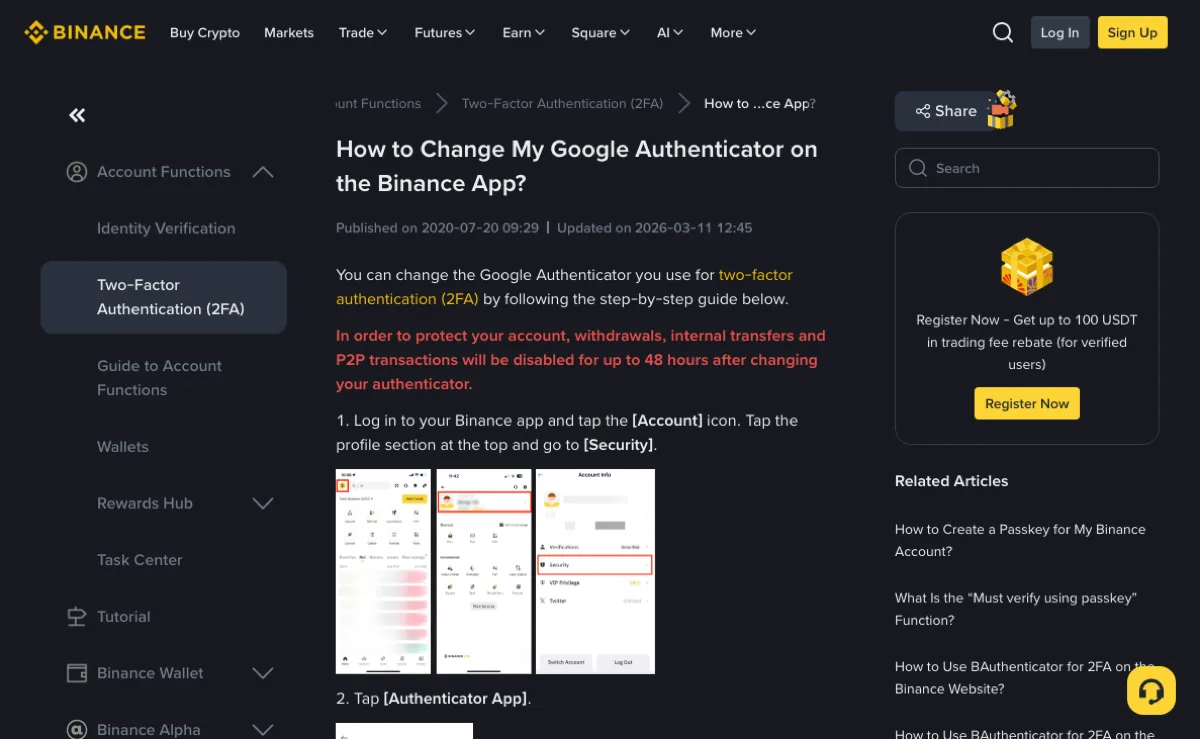
Changing the authenticator through the exchange is different from transferring an existing authenticator entry. A security-method change may trigger temporary restrictions. Read the current notice and plan any withdrawal around it.
If a transfer QR code was exposed to someone else, treat the secret as potentially compromised. Follow the official process to replace it and protect the new recovery information; do not continue relying on the exposed export.
When the old authenticator is unavailable
Check the alternatives offered by the verification page. If a recovery method is available and you control it, follow that process. Otherwise use the official account-recovery route. A surviving trusted session may help you inspect the options, but does not guarantee immediate permission to reset security.
A code mismatch is not a reason to delete the entry immediately. Check the account label and automatic device time first. Deleting the only working secret can turn a temporary problem into a recovery request.
Prepare the evidence requested by official support and keep the original request available for follow-up. Do not buy a reset service or disclose codes to someone offering help in a private message.
Do I uninstall the old authenticator before I move phones?
No. Confirm that the new device's code works, then follow the app's old-device removal instructions. Deleting a synced entry can remove it from other devices as well.
Can backup codes live in a cloud camera roll?
Photos may synchronise to other devices or cloud accounts. Store recovery information securely and keep a usable backup separate from the only phone used to sign in.
If I lose the authenticator, can this site reset it?
No. Use the appeal inside your Binance account. This site does not hold or reset someone else’s authenticator.