
A spot order uses the assets available in your Spot account. If a P2P purchase is still in Funding, transfer the intended quote asset first, then check the trading pair, buy or sell side and order type.
Move the intended asset into Spot
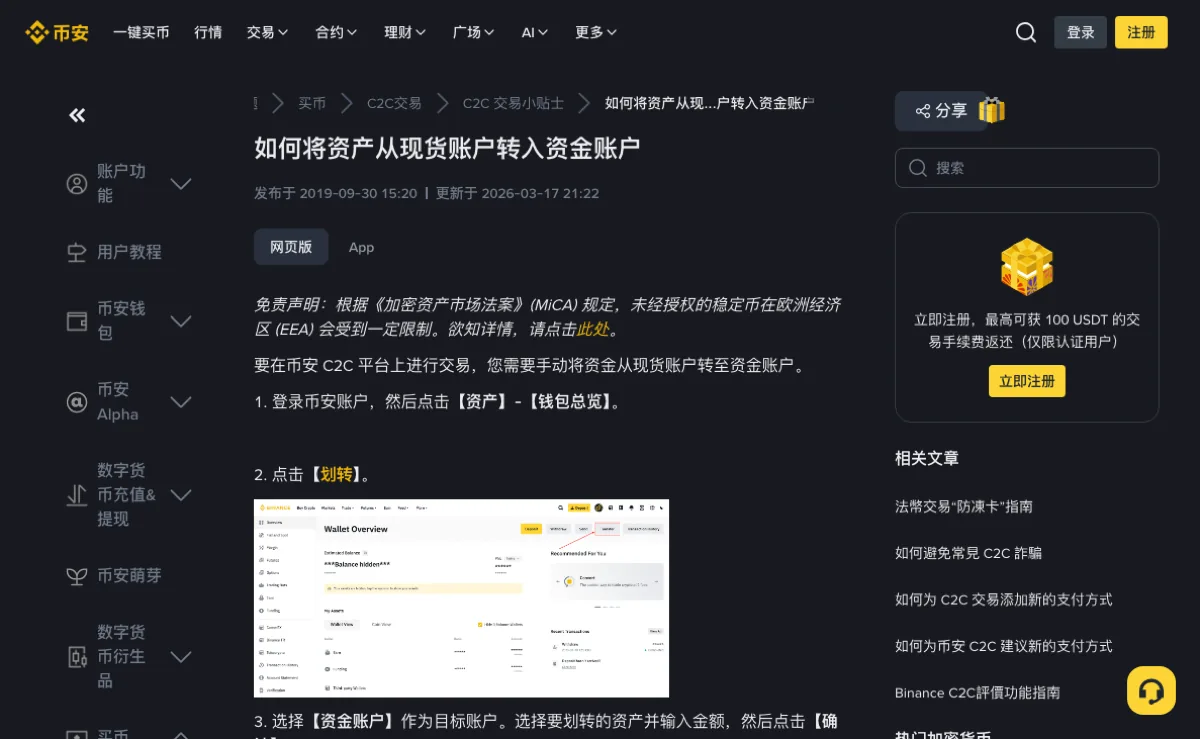
Open the internal Transfer control and choose Funding as the source and Spot as the destination. Select the asset and amount, confirm, then check the transfer record and available Spot balance.
If the balance remains zero, verify the asset filter and transfer direction. Do not repeat a transfer while its status is unresolved. Funding, Spot, Margin and other accounts may sit close together in the menu, so inspect the destination before confirming.
Read both assets and the order side
In BTC/USDT, BTC is the base asset and USDT is the quote asset. A buy order spends the quote asset to acquire the base asset; a sell order does the reverse. Read the full pair name rather than selecting a similar ticker from memory.
Confirm that you are on Spot before entering an order. Margin and derivatives have different rules. Spot also carries price risk, so being on the intended page does not make the purchase risk-free.
Use the pair to interpret quantity and total
Consider a hypothetical BTC/USDT buy with a price of 50,000 USDT per BTC and a quantity of 0.002 BTC. Multiplying price by quantity gives a gross trade value of 100 USDT. These figures illustrate the units; they are not a current market quote or a suggested purchase. A quantity of 0.002 belongs to the BTC side, while a total of 100 belongs to the USDT side. Confusing those inputs can produce a request very different from the one intended.
On a sell order, the same units remain in the same places, but the asset movement reverses: BTC is sold for USDT. Read the side label before using a percentage button. A percentage of available BTC on a sell form is not a percentage of the USDT you had planned to spend. The final preview should make the requested direction and units clear without relying on the button's color.
Choose what you want the order to control
| Order | What you control | What can happen |
|---|---|---|
| Limit | A price limit and quantity | Immediate, partial or no execution, depending on the order and available liquidity |
| Market | The requested amount or quantity within the form's rules | Execution against available liquidity, potentially across several prices |
A limit order that crosses available prices can execute immediately; “limit” does not necessarily mean maker. A market order prioritizes execution rather than a specific price, so its average price may differ from the last-traded price displayed before submission.
Before replacing an existing order, cancel it and check the final result. If the first order filled while you were placing the replacement, both orders could leave you with more exposure than intended.
Understand a partial fill before replacing the remainder
Suppose an illustrative limit order requests 0.002 BTC, and the execution record shows 0.0008 BTC filled with 0.0012 BTC still open. The filled part is already a trade. Cancelling the remainder does not cancel or reverse the 0.0008 BTC execution. If you decide to place another order, base its size on the exposure you still intend to acquire and the final status of the first request, rather than submitting the original full quantity again.
Cancellation and execution can occur close together. Read the final executed and remaining quantities after the cancellation response. A button press or a temporary status message is not enough to establish that no further fill occurred. If the interface is uncertain after a connection problem, check order and trade history before retrying. This is a record-reconciliation problem, not evidence that a second order is needed.
Resolve size and precision errors
Read the trading pair's minimum size, quantity step and price increment. Changing a quantity or price can also change the total value, so check all relevant limits after an edit.
The quantity and total fields are linked. Decide whether you are specifying how much of the base asset to buy or how much quote asset to spend. Percentage controls use available Spot funds; they do not draw automatically from Funding or an Earn product.
Adjust the right input when the form rejects an order
| Prompt concerns | Inspect | Avoid assuming |
|---|---|---|
| Price increment | The permitted price step for that pair | Removing any one decimal place necessarily fixes it |
| Quantity step | The base-asset amount and permitted increment | A valid price makes the quantity valid |
| Minimum order value | The resulting value under the current pair rules | A previously accepted quantity will always meet the minimum |
| Insufficient available balance | The correct asset, account and funds committed to existing orders | All displayed holdings are immediately available to spend |
Do not increase the size beyond what you intended solely to clear a minimum-value warning. You can decide not to trade. If you change the pair or order type, check its requirements afresh rather than carrying over assumptions from the rejected form.
Check each execution and its fee
Open trade or fill history after execution. Record the executed quantity, price, fee amount and fee asset. A single order can have several fills, and a partially filled order can leave the remainder open.
The fee asset may differ when a supported BNB deduction is active. Use the actual record, then compare the appropriate maker or taker rate and any separate rebate. The fee guide explains why a later rebate is distinct from the initial charge.
Reconcile multiple executions without treating each as a new order
Several fill rows can belong to one order. Add the executed base quantities to find how much was acquired or sold, and use each fill's price and quantity to determine its gross quote value. Keep the charged fee and fee asset alongside those values. An average price alone cannot tell you whether a balance difference comes from execution across prices, a fee deduction or an unfilled remainder.
Keep any later referral rebate separate from this immediate trade record until it is confirmed. It may reduce effective cost without changing the quantity shown in the original fill. The order number connects the executions; the later rebate record explains a separate movement. This distinction makes the fee comparison useful even when your first order fills in several parts.
Review the remaining orders before leaving
Check open orders as well as completed trades. Decide whether each unfilled order should remain active or be canceled. Leaving a page does not cancel a resting order.
If you bought an unintended asset, first verify exactly what executed. Selling it creates another trade with price and fee consequences; it is not a free undo action. Do not use a second product to compensate for a mistake you have not yet reconciled.
Balance and order-status questions
Can I buy bitcoin on Spot with cash from a bank card?
A spot order requires the pair's quote asset in the account. Buying crypto through a bank-card or P2P flow is a separate operation; use the payment options available to your region and account before placing a spot order.
Where did the coins go? Spot still shows 0.
Check the executed quantity in trade history and select the asset you acquired in the Spot balance list. A buy reduces the quote asset, so watching only the USDT balance does not show the purchased asset.
A limit has sat for a long time. Should I switch to a market?
Check the order status and price first. You can leave it, cancel it or reassess the trade. A replacement market order carries slippage and execution constraints; cancel the old order and confirm its result before submitting another.
A final record check
- Transfer history shows the intended source, destination and asset.
- The order shows the correct pair, side and type.
- Executed and remaining quantities account for the whole request.
- Trade history identifies the price and actual fee charged.
- Any order left open is one you still intend to keep.
Funds in an Earn or savings product may require redemption before they become available for trading. Check that product's redemption conditions and where the proceeds are credited, then transfer only if needed. Redemption and internal transfer are separate records.