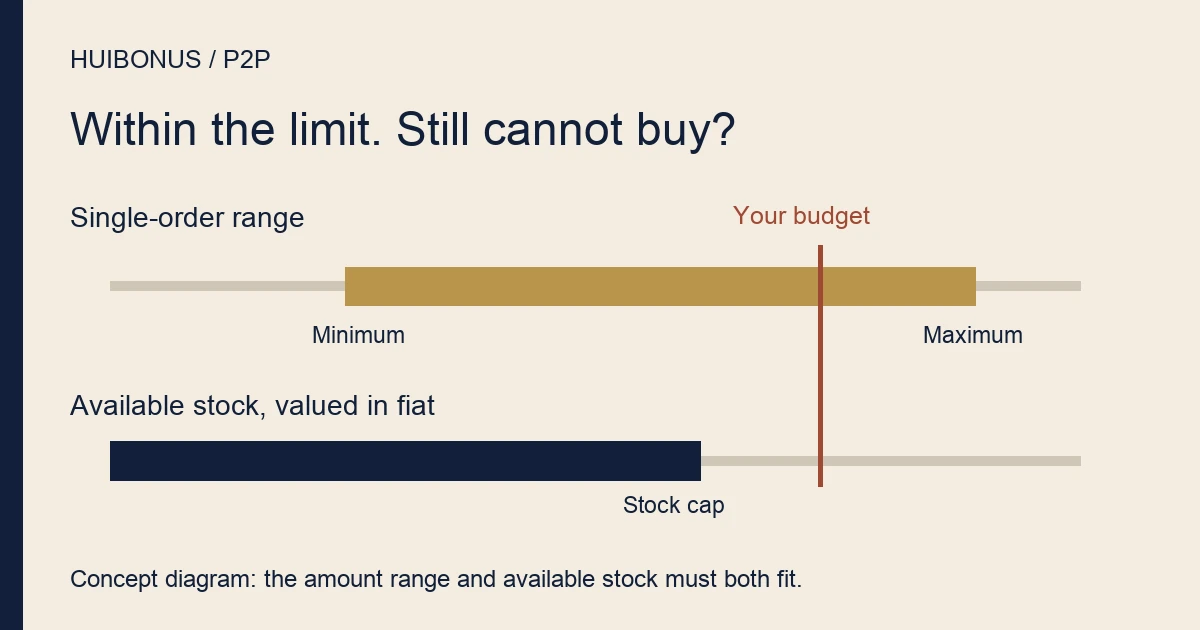
Your planned payment fits between the ad’s minimum and maximum, yet the purchase will not go through. There is another number to check: how much USDT the ad still has available. A permitted payment amount and enough remaining crypto are separate requirements.
This guide covers amount checks before an order has been created on Binance P2P, also called C2C, based on public pages checked on 11 September 2026. If an order already exists, or you have paid, work from that order instead. Whether you can use the service depends on your location, account eligibility and payment provider.
Write down the units before comparing the numbers
Keep the ad’s fiat currency, price per USDT, order limits and available USDT together. Put your intended payment beside them. A bare “500” is not enough information: 500 USDT and 500 units of local currency belong in different comparisons.
The public P2P marketplace labels its columns Price and Available/Order Limit, with a Transaction amount filter above them. The combined heading can be misleading at a glance. Read the currency or asset printed beside each value, even when two numbers sit in the same column.
| Your figure | Compare it with | What it cannot prove |
|---|---|---|
| Intended fiat payment | The ad’s minimum and maximum in that currency | That enough USDT remains |
| USDT needed at the quoted price | The ad’s available USDT | That your account or payment method qualifies |
| Spendable payment-account balance | The amount due and any separately charged payment costs | That the ad accepts that order size |
Filter around the budget you already have. A cheaper quote is not a bargain if meeting its minimum means buying more than planned, and finding no suitable ad is a reasonable place to stop.
An order limit does not reserve the seller’s stock
Binance’s order-limit explanation describes the minimum and maximum an advertiser accepts for a single order. It separately covers an ad whose remaining assets cannot meet its minimum. Those are different conditions; the advertised upper limit is not a promise that your intended purchase can still be filled.
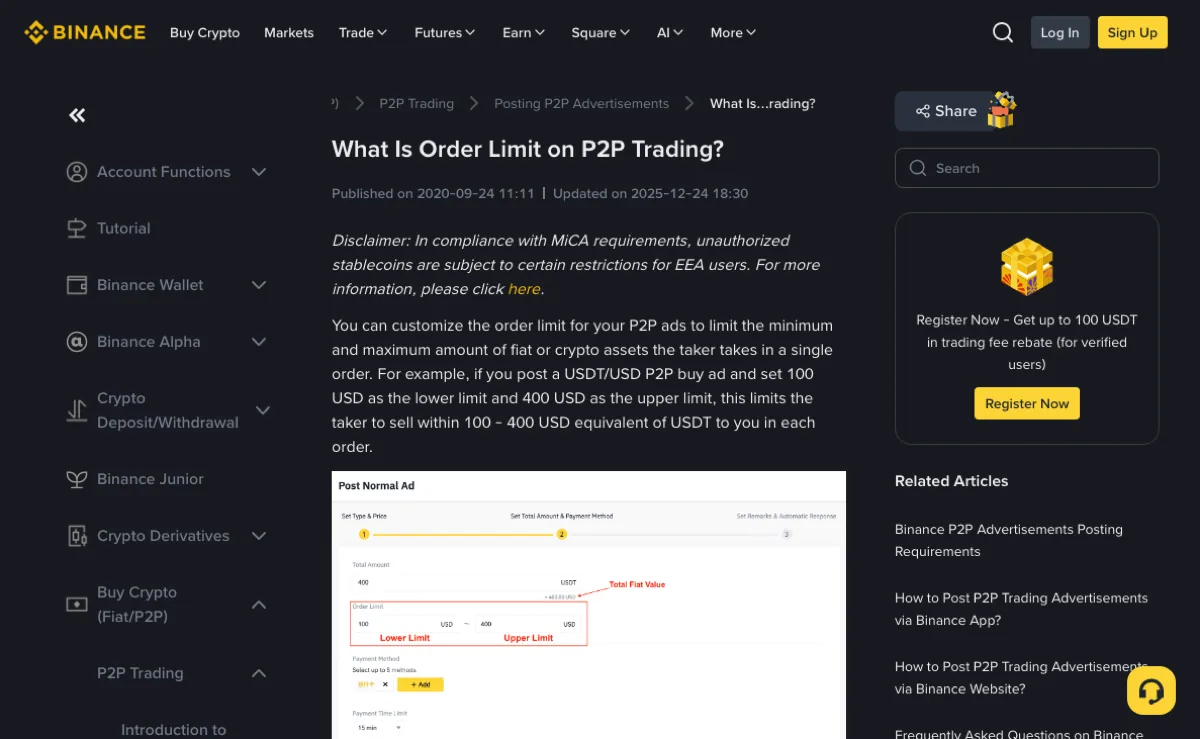
The illustrated settings belong to the advertiser. A buyer checking someone else’s sell ad does not need to open the ad-posting controls. Compare the displayed terms with your plan instead.
A bank’s transfer limit is another condition again. An ad accepting an amount does not mean your payment account can send it. Likewise, an account restriction or a payment-method mismatch cannot be resolved by moving the amount into the ad’s range. Follow the specific message rather than treating every refusal as an amount error.
Within the range, but short of USDT
Here is an invented arithmetic example. F stands for a fictional fiat unit, not a country’s currency. None of these values is a live quote or evidence that the service is available in any jurisdiction. For now, leave separately listed charges and quantity precision out of the calculation.
| Item | Assumed value | Check |
|---|---|---|
| Price | 6 F per USDT | 900 F buys 150 USDT |
| Order range | 600–1,200 F | 900 F fits the range |
| Available quantity | 130 USDT | Less than the 150 USDT needed |
The shortfall is 150 − 130 = 20 USDT. It is not a fee deduction or a missing deposit. In this example, no order has been created and no money has moved.
At the assumed price, the available 130 USDT corresponds to 780 F. That is below the planned 900 F payment, even though 900 F is comfortably below the advertised maximum of 1,200 F. The maximum alone answers only one part of the question.
Now suppose availability falls to 80 USDT. At the same price, that is just 480 F—below the 600 F minimum. There is no overlap between what the ad has left and the smallest order it accepts. The official explanation treats a remaining ad balance below the minimum as an advertiser-side problem. An old listing or screenshot cannot guarantee a trade now.
For your own check, multiply the desired USDT quantity by the current unit price to estimate the payment. Or divide your intended payment by that price to estimate the quantity needed. Keep the result beside the original inputs so it is clear which quote you used.
The calculation does not replace the order confirmation. Precision rules, separately listed costs and current trading conditions can affect what the page accepts. Even the calculated 780 F in this example is not a promise that the system must accept an input of exactly that amount.
Use the message to decide what to check next
First establish whether an order exists. If it does not, preserve the exact error text and reopen the current ad to compare its price, availability and limits. If it does, work from that order’s status and details rather than repeatedly submitting the same purchase from the listings.
- Amount too low or too high: check the input unit and fiat currency first. If the ad’s range does not fit, look for an ad that fits the original budget. Increasing the budget is not a necessary troubleshooting step.
- Insufficient quantity or balance: identify whose balance the message means. Compare the intended USDT quantity with the ad’s availability, but do not assume a message about your own payment or Funding account refers to the seller’s stock.
- Ad unavailable or no longer tradable: check the current page. A saved quote records what you saw earlier; it does not hold those terms open.
- Identity, location or risk restriction: stop adjusting the amount and use the platform’s official guidance. Changing identities, switching accounts or splitting orders to evade a restriction is not a solution.
If you need support, make the mismatch easy to follow. For example: “No order was created. The input uses F and my payment is within this ad’s range, but the message says the quantity is insufficient. Here are the available quantity and the quantity I calculated.” Supply the relevant ad details and error through official support. Do not post a full asset screen publicly or disclose passwords or verification codes.
Passing the amount check still leaves the payment checks. Use the P2P pre-trade checklist before proceeding, or the USDT buying guide for the order and payment sequence. If someone asks you to pay outside the order, stop regardless of how well the numbers fit; the P2P payment-safety guide covers those warning signs.
Is the ad’s order limit also my bank transfer limit?
No. The ad sets a condition for the trade; your payment provider sets its own conditions. An acceptable order amount says nothing about whether your own payment account can send it.
Does a low remaining ad balance mean my money is missing?
Not by itself. Identify which balance the message describes. The remaining-ad-balance issue in the official guide concerns the advertiser’s assets, so it says nothing about the buyer’s payment account.